Introduction: Why the “Right” Charger Matters More Than Ever
Fast charging isn't just a feature—it's a selling point. Whether you're an e-commerce brand, a charger wholesaler, or an OEM product manager, selecting the right fast charger affects not only customer satisfaction but also
product returns,
brand reputation, and even
certification compliance.
We’ll break down the
key charger technologies (like GaN and PD), the differences in wattage and cable ratings (such as 3A, 5A, and 6A), and how to choose the right charging equipment for
B2B buyers and consumer brands.
 Section 1: Start with the Use Case — What Will Your Charger Power?
Before diving into wattage or materials, clarify
what devices your customers are charging. Each category has different requirements:
· Smartphones: 18W–45W (PD or QC fast charging)
· Tablets & iPads: 30W–65W PD
· Laptops: 65W–240W PD 3.0 or PD 3.1
· Drones, eBikes, or industrial devices: 100W–300W GaN power adapters
👉 For laptops and gaming consoles, you'll want to offer {product} or {product} with PD 3.1 support and E-marker 100W cables.
Section 2: PD Charger vs. GaN Charger – What’s the Difference?
| Feature |
PD Charger |
GaN Charger
|
| Technology |
Protocol
|
Material (Gallium Nitride) |
| Speed |
Fast (18W–240W)
|
Ultra Fast (up to 300W) |
| Size |
Standard |
Compact & Cooler |
| Price |
Lower
|
Slightly Higher (but more efficient) |
·
PD charger (Power Delivery) focuses on communication protocol between devices to optimize charging.
·
GaN charger uses new materials for smaller, cooler, faster chargers.
Want a charger that supports everything from phones to MacBooks? Choose a GaN charger with PD 3.1 protocol – like {product}.
🔍
Related Reading: The Pros and Cons of GaN Chargers and Their Applications
Section 3: Understand Amperage Ratings – 3A, 5A, and 6A Explained
If you’re not offering the
right cable or charger combo, customers might complain about slow charging—even if the charger is technically fast.
Here’s what these numbers mean:
·
What is 3A charging? Up to 60W charging, mostly used for phones and tablets.
·
What is 5A charging? Up to 100W (PD 3.0), needed for most laptops.
·
What is 6A charging? High-end applications like
rapid charging cable for
PD 3.1 or GaN chargers up to 240W.
Keywords users search:
what does 5a mean, 5a usb c cable, usb type c 5a cable, 6a charging cable, 100 watt charging cable, 3a vs 5a, usb a vs usb c charger
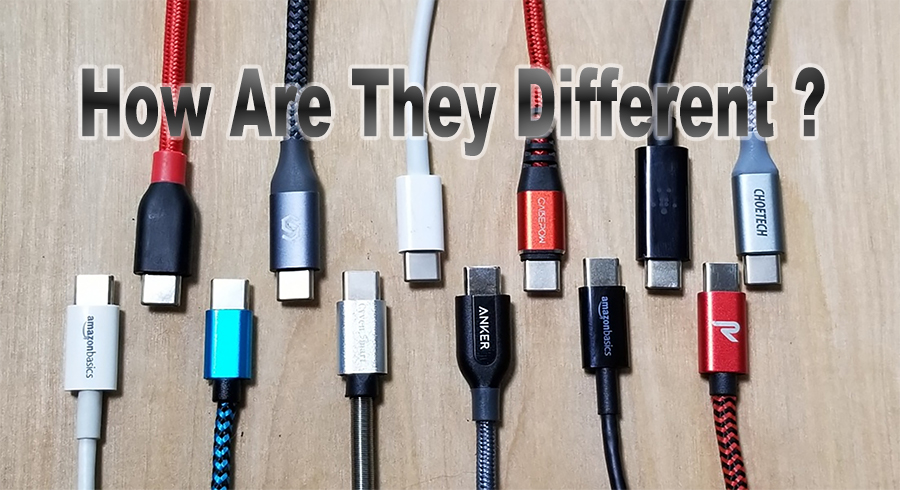 Section 4: Connector Type Still Matters — USB-A, USB-C, or Lightning?
· USB-A: Outdated but still present in many devices.
· USB-C: Universal, supports PD 3.0/3.1, up to 240W charging.
· Lightning: Still common in Apple ecosystem (though USB-C is replacing it gradually).
👉 If your target market includes Apple users, consider bundling your {product} with both USB-C to USB-C and USB-C to Lightning cables.
Section 5: Wholesale and OEM Considerations
As a B2B buyer or private label brand, here’s what you should be asking:
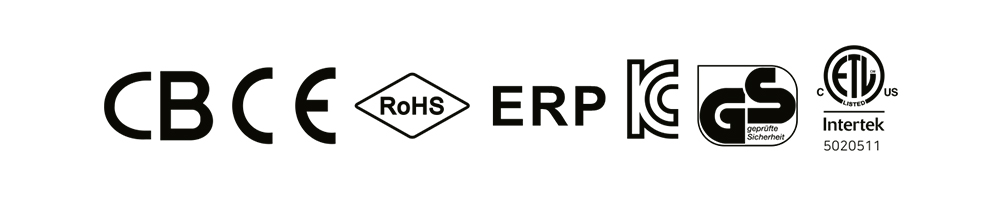
1. What certifications are provided?
Look for
CE,
RoHS,
FCC,
ETL,
KC, especially for EU and Korean markets.
2. Can the charger be customized with my logo and packaging?
Make sure your supplier provides
OEM & ODM services.
3. Is it ready for future tech?
Ask about support for
PD 3.1,
GaN technology,
240W cables, and
multi-port charging.
 Section 6: Solving Common Charging Problems
Common complaints from users that your product must solve:
· "Phone gets hot when charging" → Choose GaN charger for better thermal control
· "Apple fast charger not working" → Ensure PD compatibility and E-marker cables
· "My charger is too bulky" → Recommend {product}, a compact 65W GaN charger
Conclusion: What to Do Next
If you’re in the business of chargers, don’t just sell —
educate and differentiate.
Make sure your products stand out with:
✅ The right fast charging tech (GaN, PD)
✅ The right wattage and cable pairing (3A/5A/6A)
✅ The right OEM support (logo, housing, color, plug type)
And explore our other blogs:
🔗
USB-C vs USB-A: What’s the Difference?
🔗
How to Extend Laptop Charger Life